Google Adsense
Be yourself; Everyone else is already taken.
— Oscar Wilde.
Introduction::
AdSense is a program run by Google for advertisers to advertise their product across various platforms provided by Google. It is a source of income for creators who create and put up their work on one of many platforms.
One of such platform is YouTube. It is video sharing website owned by Google. Viewers across the globe search and watch content of their liking produced by various creators. Now the advertisers put up their advertisements before or during the video. Google AdSense works as an intermediate between Advertisers and the creators. Income from the advertisements is distributed between Google and Creators according to the policy previously agreed upon. Creators are paid for the videos monetized by the them.
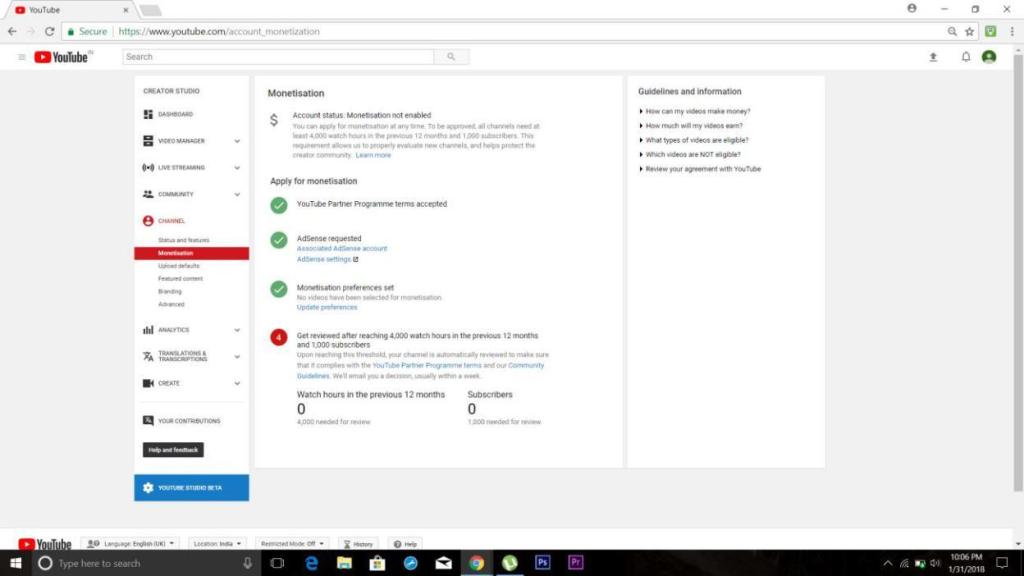
To monetize videos on YouTube one must create an AdSense account and get it connected with YouTube. Upon creation of AdSense account, it must be reviewed by the creator. This process takes place after certain criteria set by the company. For YouTube account to be reviewed, one must achieve landmark of 1000 subscribers and 4000 watch hours collectively of all videos uploaded within last 12 months. After successful review the creator can decide to whether monetize the video or not. If yes, then what kind of advertisements to be shown.
Process of creating an AdSense Account::
Creation of AdSense Account is very easy process as shown below in the attached Screenshots.
First, one must create a Google account and open the same in YouTube. Upon opening the account in YouTube, one has to open ‘My Channel’ and follow the following steps.
1)Enable ‘Monetize’ tab.

2)Apply for monetization by following four simple steps.
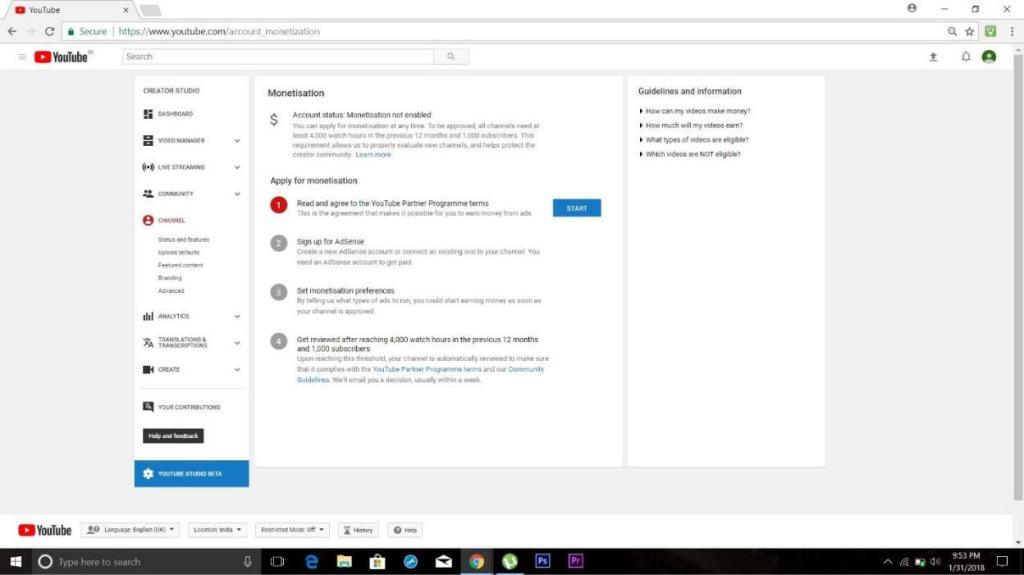
3)Read carefully and agree to the TnC.

4)Sign up for AdSense.

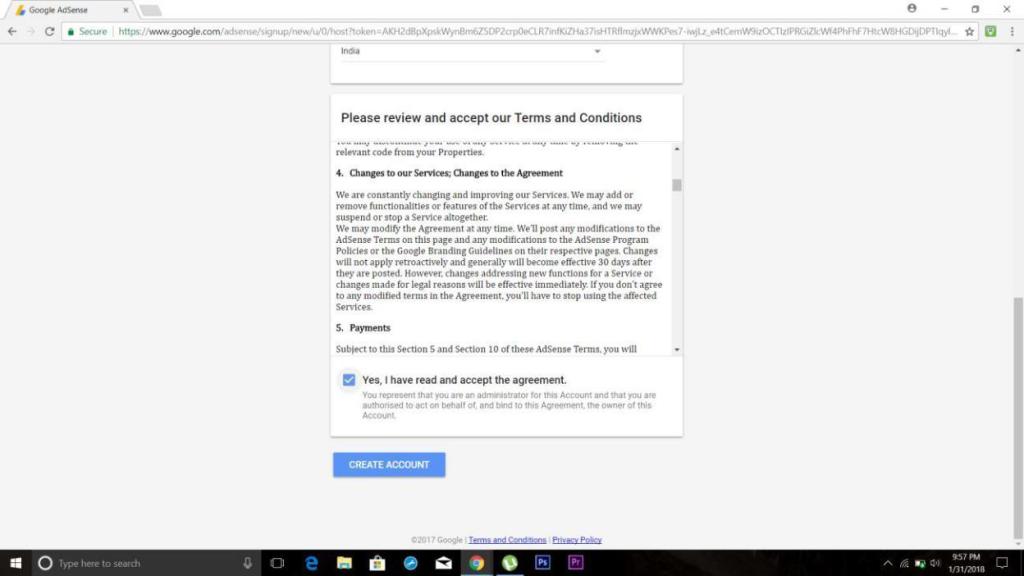
5)Fill up basic Detail like country etc.

6)Check the box showing you have read and are agreeing to their policy.
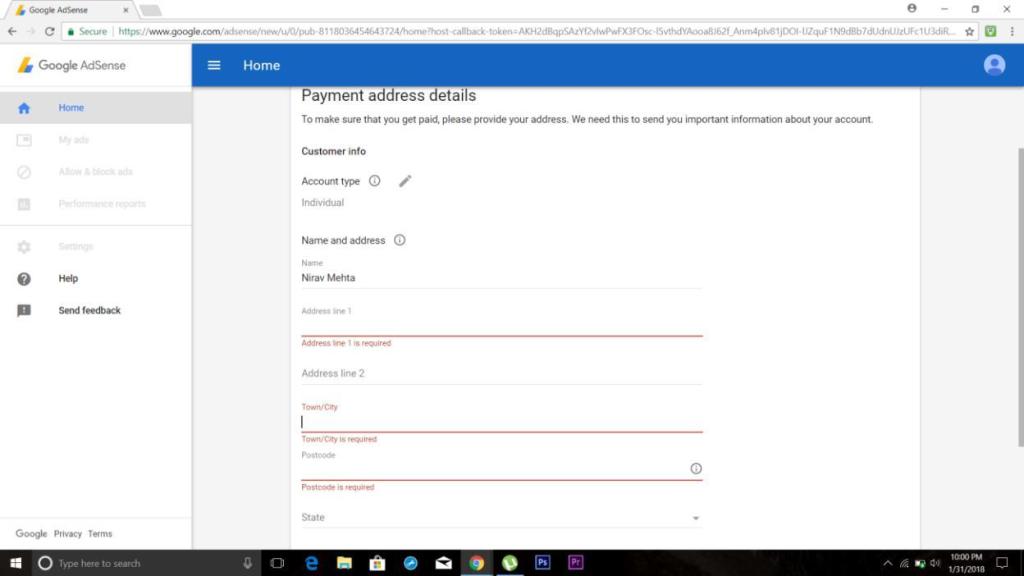
7)Fill up your details as such Name, Address etc.
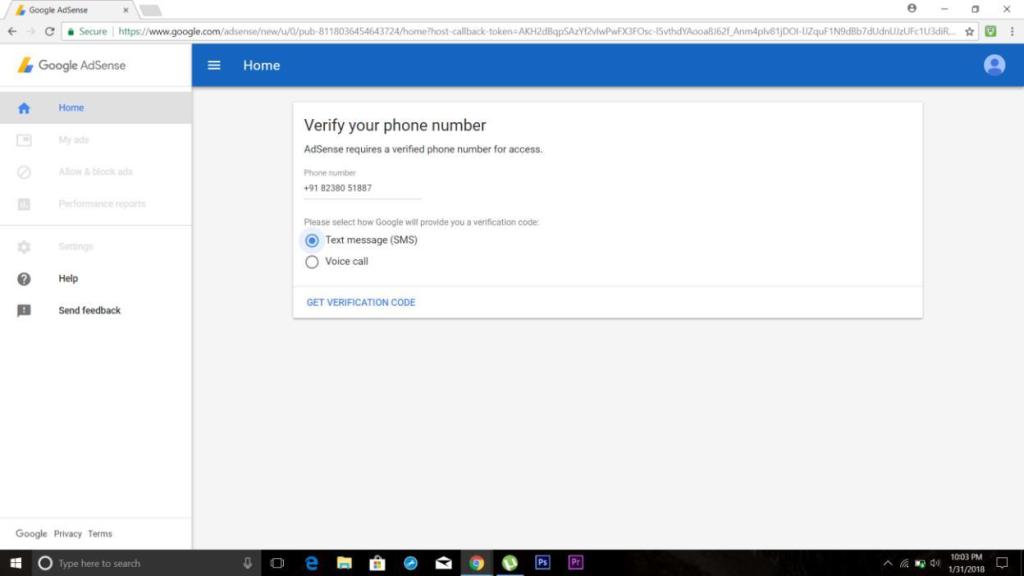
8)Verify the mobile number by entering the OTP sent on the said number.
9)Set the preferences as to which format ads to be shown(can be changed later).
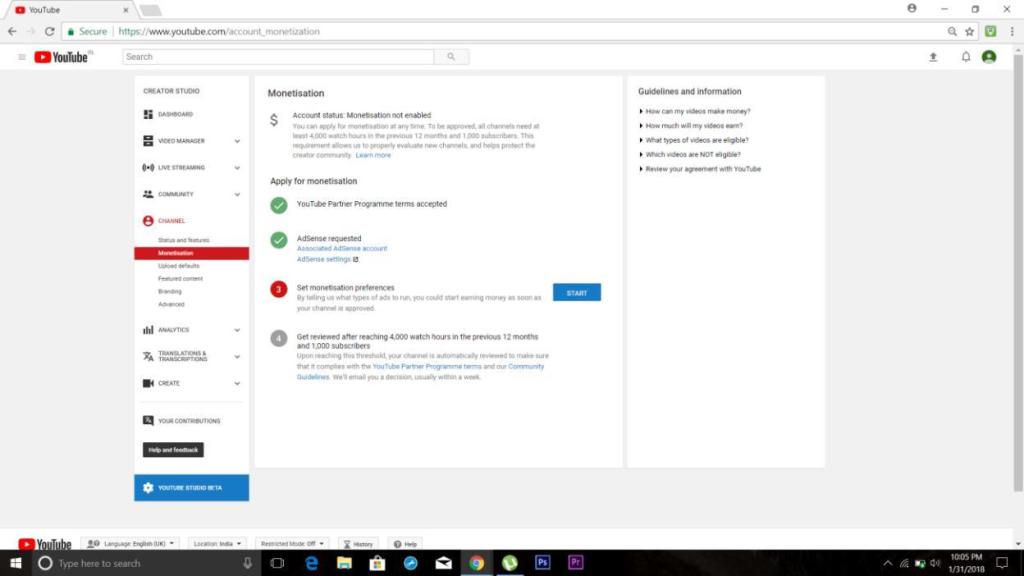
11)Select format.
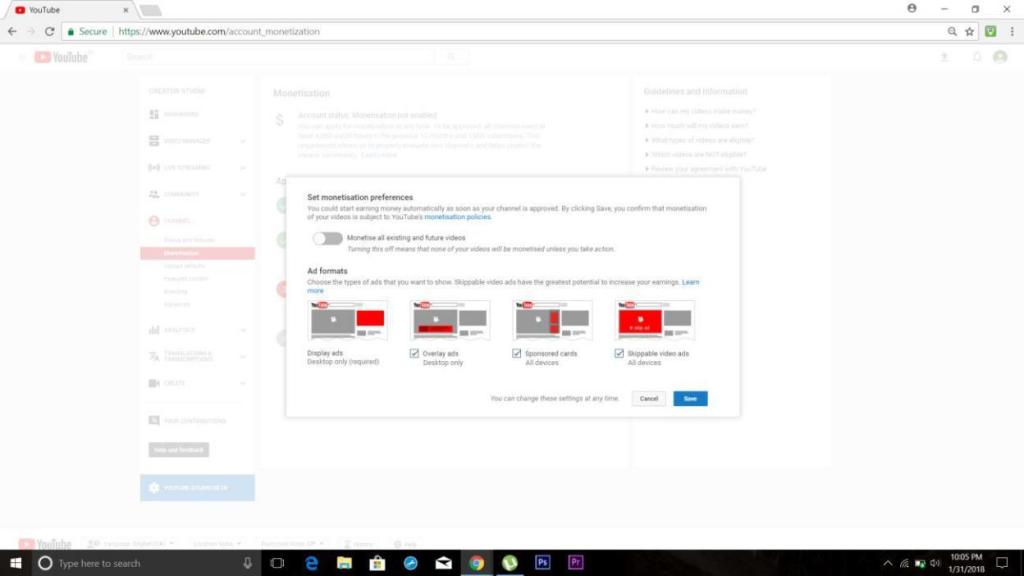
12)Wait for the prerequisites for review to be fulfilled for further process.
Modification recommendation:
Certain recommendation which YouTube can work upon to provide a better experience to it’s creators are:
1) People who subscribe and like the video:
YouTube doesn’t show the list or names of people who subscribe to the channel or like the video. Notification of new subscriber is obtained but a proper list of people who subscribe is not available.
Also, the audience and their information who likes the video is not available. Creator can target a set of audience if he gets the information like geographical location, their profession etc. and increase his/her reach.
2) Profession of visitors/subscriber/likers:
This
is a vital piece of information that YouTube doesn’t provide. If creator gets
to know the profession of his/her audience, he/she can make relevant videos and
can gain popularity and reach as well.
Alternatives to AdSense:
There are many alternatives to AdSense currently available in market.
To name a few:
1)AdRev
2)Filmsection
3)Freedom
4)Fullscreen Media
5)VidGenX The second-best option to AdSense is AdRev, according to popularity and services provided. It provides similar services like AdSense. Inorder to use AdRev, one must create a YouTube channel.
 Nirav's blog